Quick-copy moment! ∝
In the realm of mathematics, the symbol ∝ represents proportional to, which means a relation in which two quantities vary directly or inversely with each other. If you have two quantities x and y that are proportional, then it can be said that y = kx, where k is the constant ratio of y to x. When we say that y is directly proportional to x, we mean the two quantities increase or decrease together; inverse proportionality is the separate relation y ∝ 1/x. This can be written as y ∝ 1/x, meaning that y varies inversely with x and their product is constant, or xy = k.
The notation guide covers the practical scope of what this symbol can do within its own confines, from copying it into your work and how to encode it on the web, to writing it correctly in LaTeX.
The Unicode character U+221D PROPORTIONAL TO is the mathematical proportional-to symbol. As such, it is categorized under Mathematical Operators, and is located within the Basic Multilingual Plane of Unicode, within the Math Symbol category, as introduced in version 1.1 of Unicode.
You can copy the ∝ symbol into ordinary documents by just pasting it directly, although there’s also an Alt-code shortcut for Windows machines — but only if you’re using Num Lock and a numeric keypad. You won’t use an Alt-code shortcut this way on a Mac; support elsewhere can vary by keyboard and application. The Alt code method involves typing “Alt+8733” on a PC, but note that the exact method depends upon the keyboard and application you are using.
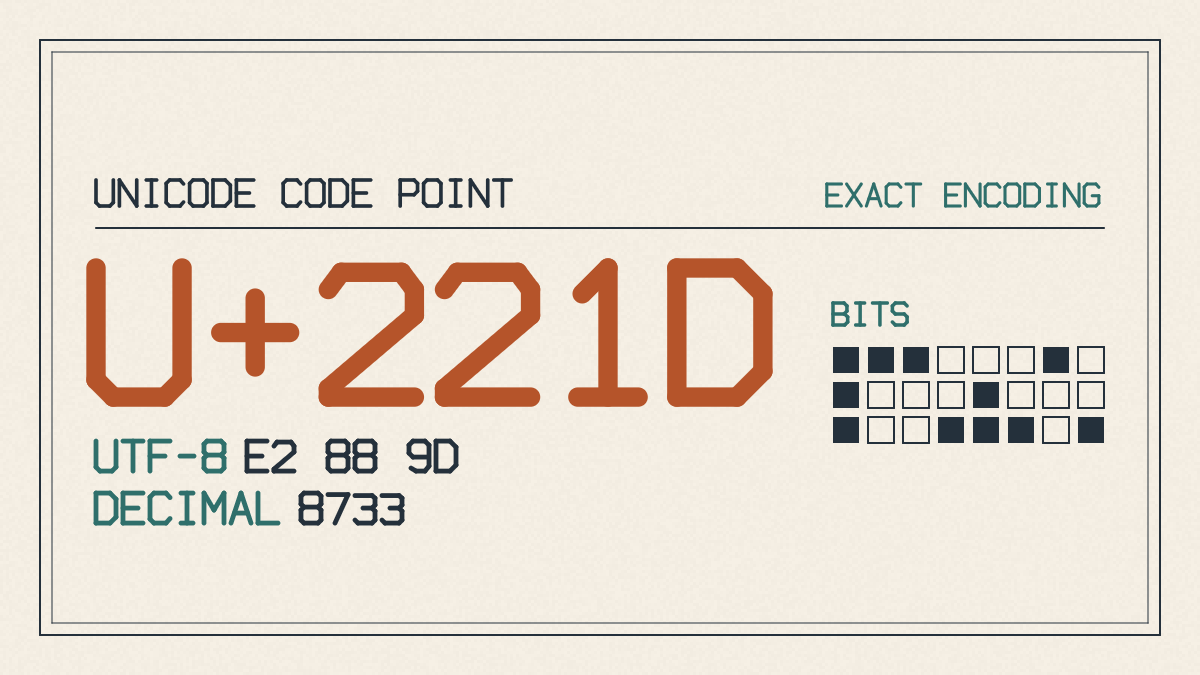
There are several methods to encode ∝ onto the Web. You can use the HTML decimal reference ∝, the hexadecimal reference ∝, or the named character reference ∝, along with CSS generated-content escape. The CSS method requires escaping the hex value using \ followed by the hex code. For example:
content: '\221d';
The LaTeX equivalent for ∝ is the command \propto. It is used in math mode to write the proportional-to symbol, and no additional package is required.
While ∝ does appear elsewhere in computing, it is not related to Greek alpha, the tilde operator, or the four-dot proportion sign. In fact, the tilde-like notation may be used in some other form of mathematical notation, although it’s not clear exactly how.
Mathematical Relation Symbols
As noted above, the symbol ∝ appears to represent proportional relationships, where two quantities vary directly or inversely with each other. But this isn’t the same as approximate equality, which is denoted by the symbol ≈.
This relationship holds between the radius and arc length of a circle, for example. The arc length, which is the distance along the arc described by the angle, is equal to rθ, where θ is the central angle measured in radians. Since the radius is the measure of the line segment extending from the center of the circle to its perimeter, it has a direct impact on the arc length.
For example, if the radius of a circle is 5 units and the central angle is π/2 radians, then the arc length would be approximately 7.854 units. If the radius was doubled to 10 units, the arc length would become approximately 15.708 units, illustrating that they are directly proportional.
Other examples include the variation of kinetic energy with speed, and the force experienced by a moving charge in a magnetic field, among many others. However, this article focuses specifically on the symbol ∝ and its use.
Unicode Character ∝
The ∝ symbol is known in Unicode as the PROPORTIONAL TO character, represented by the codepoint U+221D. It resides in the Mathematical Operators block, is located in the Basic Multilingual Plane (BMP), and is categorized as a Math Symbol. Unicode 1.1 originally introduced this symbol.
Copy ∝ Into Ordinary Work
You can copy the ∝ symbol into your work by simply copying and pasting it. There are also documented ways to get it into your work, depending upon the operating system. For instance, Windows includes a way to generate characters through Alt codes, although it only works if you enable Num Lock and are using a numeric keypad. Otherwise, the exact method depends upon your keyboard and application. Unfortunately, the Alt code method won’t work on Macs, and I’m unable to provide any unsupported shortcuts here.
Encode ∝ Into Web Documents
To encode ∝ into a web document, you have several options. First, you can use HTML entities, including both decimal and hexadecimal representations of the Unicode character, or even use the named entity for it. Finally, the CSS generated-content escape sequence allows you to use the Unicode code point directly.
Use the Alt Code Method to Generate ∝
Windows provides an easy way to type ∝, provided you follow specific instructions. This technique relies on holding down the left Alt key, typing 8733 on the numeric keypad with Num Lock on, and then releasing Alt.
Use ∝ in LaTeX
LaTeX provides the \propto command for this math symbol, and no additional package is required. If you want to use ∝, you can simply write the LaTeX expression $x \propto y$, which results in the desired output.