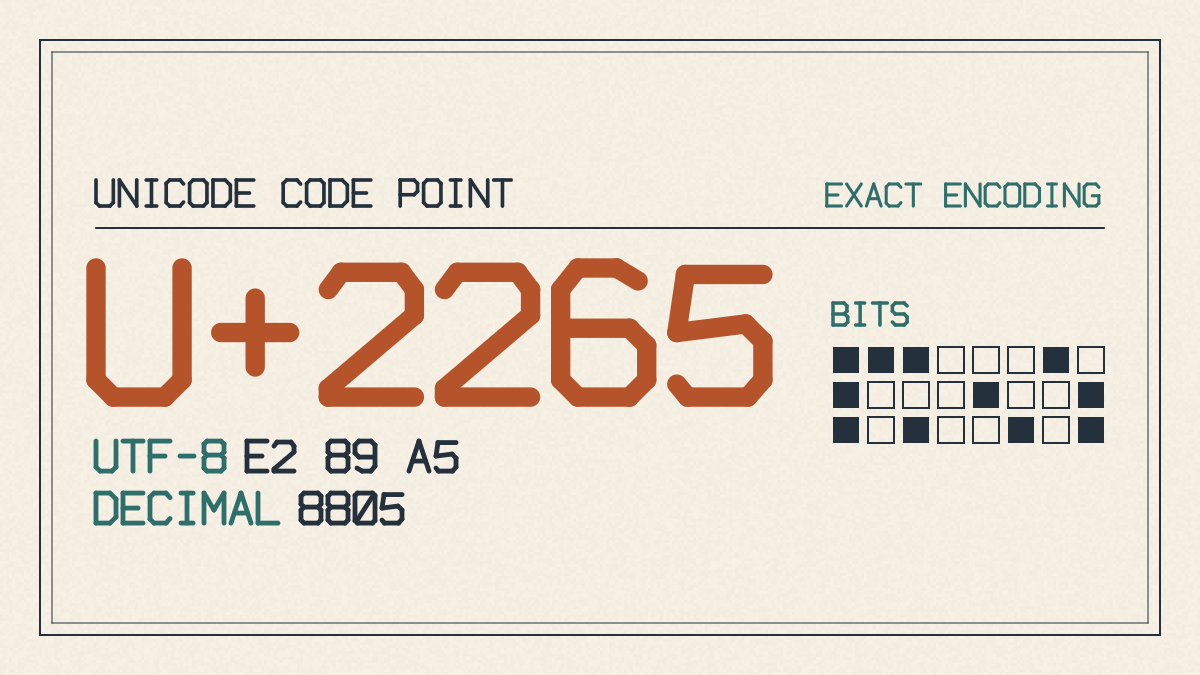
If you are looking for the greater than or equal to sign on keyboard, and specifically are trying to type the greater than or equal sign, the first thing you need to understand is that there’s a specific Unicode symbol that contains this character. It’s called the “Greater-Than or Equal To” symbol, and it’s represented by the Unicode code point U+2265.
Understanding the Unicode symbol
The symbol itself is a single Unicode symbol, meaning that it can be used anywhere that accepts Unicode text — for example, web pages, e-mails, word processing documents, and other forms of text. It means the left side is either greater than the right side or equal to it.
The easiest way to insert the ≥ symbol into any document that accepts Unicode characters is to copy-paste it directly into the field where you want to use it. This will ensure that your intended text is displayed correctly.
Numeric keypad method
There is another method that uses the numeric keypad, but it requires some additional steps: Press and hold the Alt key (on the left side) while typing the number 8805 on the numeric keypad. On laptops and other notebooks, this may not work because there’s no numeric keypad available. If your laptop has one, though, then you’ll probably need to press the Fn key as well.
On Windows systems, you can enter the ≥ symbol using the Alt+X shortcut in Word for Windows. Just type the hex code 2265 followed by Alt+X to display the ≥ symbol.
HTML and LaTeX entry
You can also type the Unicode code points for ≥ in different ways, depending on what application or environment you’re working in. For example, you could type ≥ inside an HTML file or script, or \geq (or, equivalently, \ge) within LaTeX.
It’s worth noting that there’s also a programming-language operator known as the “greater-than-or-equal-to” symbol that you may have seen. That symbol (≥) is usually used to denote inequality, whereas the >= symbol is often used in programming languages. They express the same comparison, but they are not interchangeable in every setting: use >= in code that requires it, and ≥ in mathematical prose or Unicode-aware documents.
Summary
In summary, there are a variety of ways to type the ≥ symbol, including direct Unicode entry, Word entry, numeric entry, copy-paste, and code encoding. You should choose whichever method works best with the destination to which you are inserting the character.