If your keyboard doesn’t have a dedicated key, you can just copy and paste the not-equal sign (≠). It’s the mathematical symbol that signifies two things are not equal to each other. You might find it useful in a spreadsheet, a math problem or when comparing numbers.
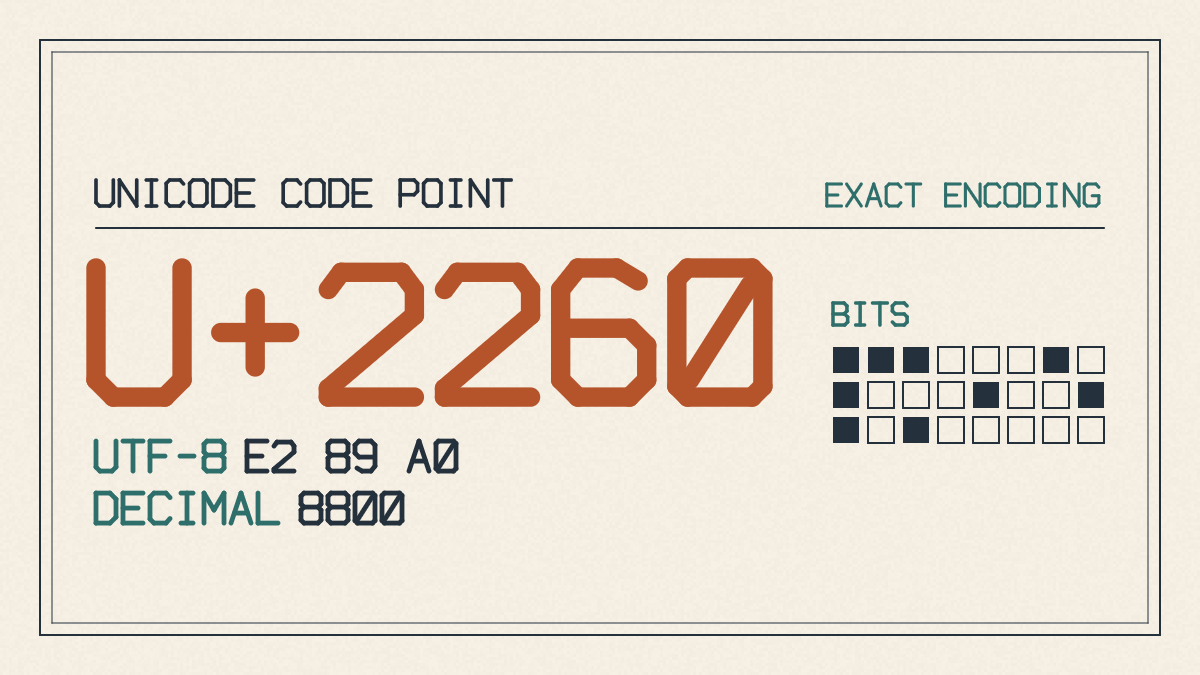
You may have also seen this symbol represented as ≠ — which is technically the same thing — but the Unicode character name is “Not Equal To.” In terms of code, U+2260 is the single Unicode code point assigned to this symbol.
On Windows
If you don’t want to copy and paste the symbol directly, you can use the Alt code to enter it instead. On the Windows platform, there are two ways to type it:
Use the numeric keypad on your laptop or desktop by pressing the Alt key while entering 8800 with Num Lock enabled.
Use the Character Map utility included in Windows.
To do so, press and hold down the Alt key on the left side of the keyboard. Then type 8800 using the numeric keypad on the right. The numberpad should be active (Num Lock) for this method to work. If you’re on a laptop without a numeric keypad, you can use the Character Map fallback instead. Just open the menu and then paste the symbol from there. Alternatively, you could simply copy and paste the symbol directly.
On Mac
The Mac shortcut is easier, since you’ll only need to use one keystroke sequence: Option + =.
In Microsoft Word
Microsoft Word provides a couple options, too, although they’re slightly more complex than simply pressing and holding an option key or typing an Alt code. First, you can type the hexadecimal value, 2260, where you want the symbol, then press Alt + X immediately after it to insert the symbol. Alternatively, if you remember the Unicode symbol codes, you can go to the Insert tab and choose the Symbol command to find and insert it. However, you can also copy and paste it from anywhere else.
A word of caution
The symbol used here is a mathematical operator, not a programming operator. So if you see something like !=, that’s a different story altogether.
This isn’t really important unless you’re doing some serious math or working within a certain environment. But again, just know that you generally won’t see != used in place of ≠ in mathematical notation or equations. For now, we’ll keep our focus on the simple task at hand: how to produce a basic symbol that means “not equal.”
As mentioned, there’s no single way that works across all operating systems. However, the most reliable choice would be to either copy-paste it from somewhere or use the Alt+8800 method (on a desktop with a numeric pad), or to use the Alt+X method inside Microsoft Word. Otherwise, the Option+ = combination will suffice on a Mac. If you ever question whether you’ve inserted the correct character, just remember that the unique code point that corresponds to it is U+2260.