The less than sign (<) is used in many contexts. For example, you can use it when working with inequalities.
When writing code in a programming language such as JavaScript, the < character indicates that one number is smaller than another. The symbol also has a different meaning when using LaTeX or HTML.
Let’s take a closer look at what the less than sign means, how to type it, and its various applications.
What Is the Less Than Sign?
In mathematics, the less than sign (<) represents a strict inequality. In this context, the left value is strictly smaller than the right value. For example:
3 < 5
This statement reads as “3 is less than 5.” The opposite comparison using the same two numbers would be 5 > 3, which is read as “5 is greater than 3.”
One trick I’ve always found useful for remembering which sign to choose is to think of the point and open side: if the narrow point faces the left (smaller) value, then we have <. Otherwise, it’s >.
If I remember correctly, the sign looks like an arrow pointing from small to large. That is, the tip points to the smaller value and the wide open side faces the larger value.
As such, the following expressions should all be true:
Small < BIG
BIG > small
You’ll see that these are all true when applied to the same two numbers.
How to Type the Less Than Sign
The ASCII decimal code for the less than sign is 60, with hexadecimal representation 3C. UTF-8 uses the same code, 3C; UTF-16 is the Unicode code point U+003C. Here are the full Unicode identities for the less than sign:
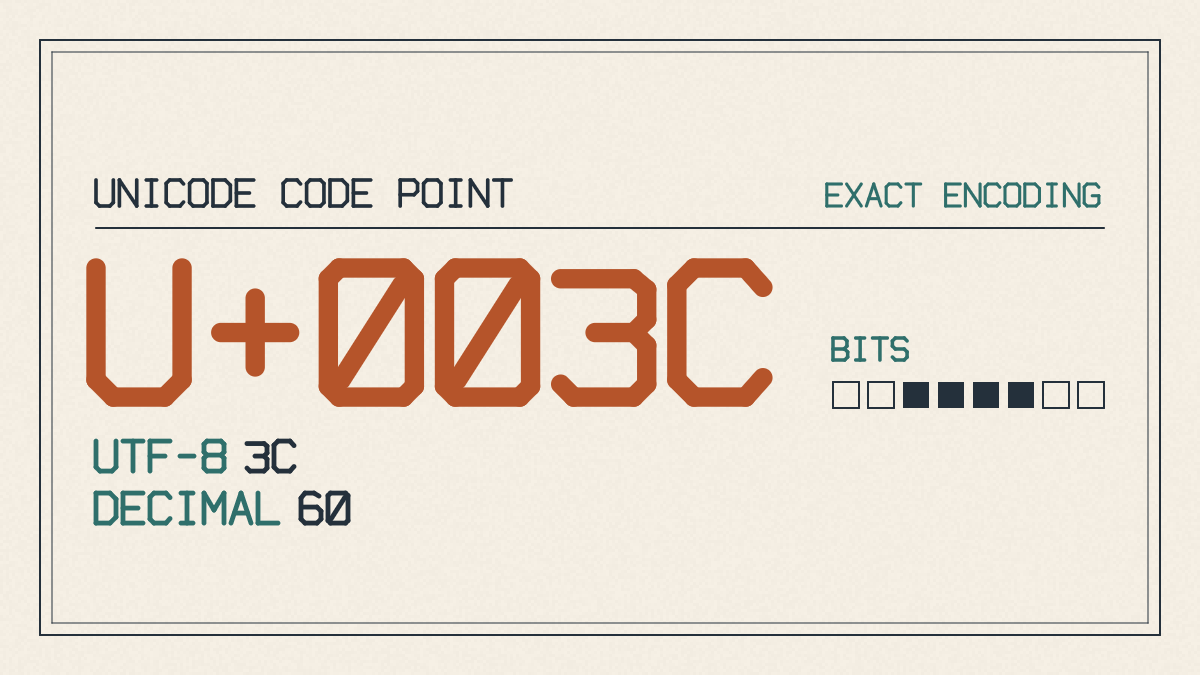
U+003C, LESS-THAN SIGN, ASCII, C0 Controls and Basic Latin
Unicode
Code point
U+003C
Name
LESS-THAN SIGN
Block
C0 Controls and Basic Latin
Category
Math Symbol
HTML entity
<
ASCII
Decimal
60
Hex
3C
UTF-8
3C
UTF-16
00 3C
UTF-32
00 00 00 3C
To insert the less than character on a standard US keyboard, press the Shift + comma key.
How to Escape the Less Than Sign
Sometimes you want to display the less than sign literally. This is not possible directly within markup languages such as HTML, SGML, and XML, since these markups interpret the < sign as the beginning of a markup construct.
There are three ways to escape a literal less-than sign in content:
Insert <, which is the HTML entity for the less-than sign.
Insert the numeric entities < or <. The former uses the ASCII decimal code, while the latter uses the hex value.
For those familiar with TeX and related markup formats such as LaTeX, the LaTeX command \textless will produce a less-than sign in text mode. However, the math mode requires the more common mathematical sign (<). The exact rendering of these depends on the engine used to compile your LaTeX document, along with any fonts or encodings that may be involved.
How to Use the Less Than Symbol in LaTeX
Within LaTeX, you do not need a special package to make use of the < operator in math mode. In general, the less than symbol appears just fine within the default math environment. If you need it in text mode, then the LaTeX command \textless produces a less-than sign instead.
It’s worth noting that LaTeX typically handles both symbols quite well, depending upon the engine used. So, the difference between these is subtle — but it’s important that they render correctly depending on whether you’re working with math or plain text.
How to Use the Less Than Sign With Nearby Symbols
The basic comparison symbols are:
<, less than: A < B means A is strictly less than B.
, greater than: A > B means A is strictly greater than B.
≤, less than or equal to: A ≤ B means A is less than or equal to B.
≥, greater than or equal to: A ≥ B means A is greater than or equal to B.
≠, not equal to: A ≠ B means A is not equal to B.
≈, approximately equal to: A ≈ B means A is approximately equal to B.
≪, much less than: A ≪ B means A is much less than B.
These signs are similar in appearance, so it’s important to ensure you’re choosing the correct one based on the context of what you’re trying to express.
How to Use the Less Than Sign in Other Contexts
The less than sign doesn’t serve only as a comparison symbol. You’ll find the less than sign elsewhere too, including within formal bracket notation or in linguistics.
In the former instance, the less than symbol is not actually equivalent to a true angle bracket. Instead, the actual brackets would be written as either ⟨A⟩ or <A> depending upon the context.
In linguistics, the less than sign can also be seen as representing some kind of bracketing, although it is not used in place of a true angle bracket. For example, linguists often refer to brackets as denoting “phrases” or “clauses” that form part of a larger sentence. When doing so, they’ll surround the phrase or clause with either parentheses, square brackets, or angle brackets.
Again, the less than symbol doesn’t appear to replace the use of angle brackets. Rather, it seems that the less than symbol was developed separately, without regard to its role in other areas of usage.
The Final Word on the Less Than Sign
So, in summary, here’s how to use the less than sign:
Use the < sign only when the value is strictly smaller than the other value. Don’t use it if you’re allowed equality.
On a keyboard, press Shift + comma.
If needed, you can use the < symbol in markup languages by escaping it with <.